How to Use the Yuwell Anytime CT3 CGM in Sri Lanka: Step-by-Step Guide, Video & Price
Set up, wear and replace Sri Lanka's NMRA approved rechargeable continuous glucose monitor – with the official setup video, app download links and user manual.

By the HuMed team · Authorised online distributor of Yuwell Anytime in Sri Lanka · Last updated 28 October 2026
Checking your blood sugar several times a day with finger pricks is painful, and it only shows a single moment in time. A Continuous Glucose Monitor (CGM) changes that. It measures your glucose automatically, day and night, and shows the result – and where it is heading – right on your phone.
The Yuwell Anytime CT3 is one of the most affordable CGMs available in Sri Lanka. It is NMRA approved, and HuMed is an authorised online distributor. This guide explains how it works and walks you through setup, step by step, with the official video, app download links and user manuals.
Quick answer: Yuwell Anytime CT3 at a glance
- What it is: a continuous glucose monitor (CGM) with a 14-day sensor and a rechargeable transmitter that lasts up to 2 years.
- How it works: a tiny sensor under the skin of your upper arm or abdomen measures glucose every 3 minutes and sends it to the free Yuwell Anytime app by Bluetooth.
- Setup time: about 15 minutes, plus a 60-minute warm-up.
- Accuracy: MARD 6.9% (University of Leeds study).
- Price in Sri Lanka: Rs. 17,000 for the Full Kit (sensor + transmitter), then Rs. 15,500 for each 14-day replacement sensor.
- Approval & warranty: NMRA approved; 1-year transmitter warranty from Mega Meditech.
Watch: Yuwell Anytime CT3 setup video
Prefer to watch? This 4-minute official video shows the whole setup – charging, pairing, applying the sensor and attaching the transmitter.
▶ Can't see the video? Watch the Yuwell Anytime CT3 setup guide on Vimeo (4 min 39 s).
What is a CGM, and how is it different from a glucometer?
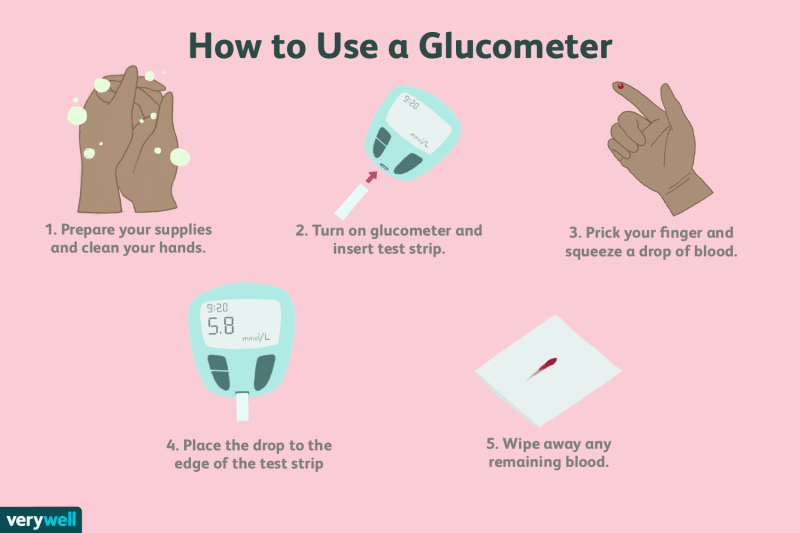
A normal glucometer measures sugar in a drop of blood from your fingertip. A CGM uses a tiny, flexible filament placed just under the skin to measure glucose in the fluid between your cells (interstitial fluid) – every 3 minutes, 480 times a day.
| Glucometer | Yuwell Anytime CT3 CGM | |
|---|---|---|
| Finger pricks | Every test | None for routine readings |
| Readings per day | Usually 1–4 | 480 |
| Night-time monitoring | No | Yes, with alarms |
| Trend direction | No | Yes – 7 trend arrows |
| Share with family | No | Up to 20 people |
Need a regular meter for backup checks? See our glucometers in Sri Lanka.
What comes in the Yuwell Anytime CT3 kit?
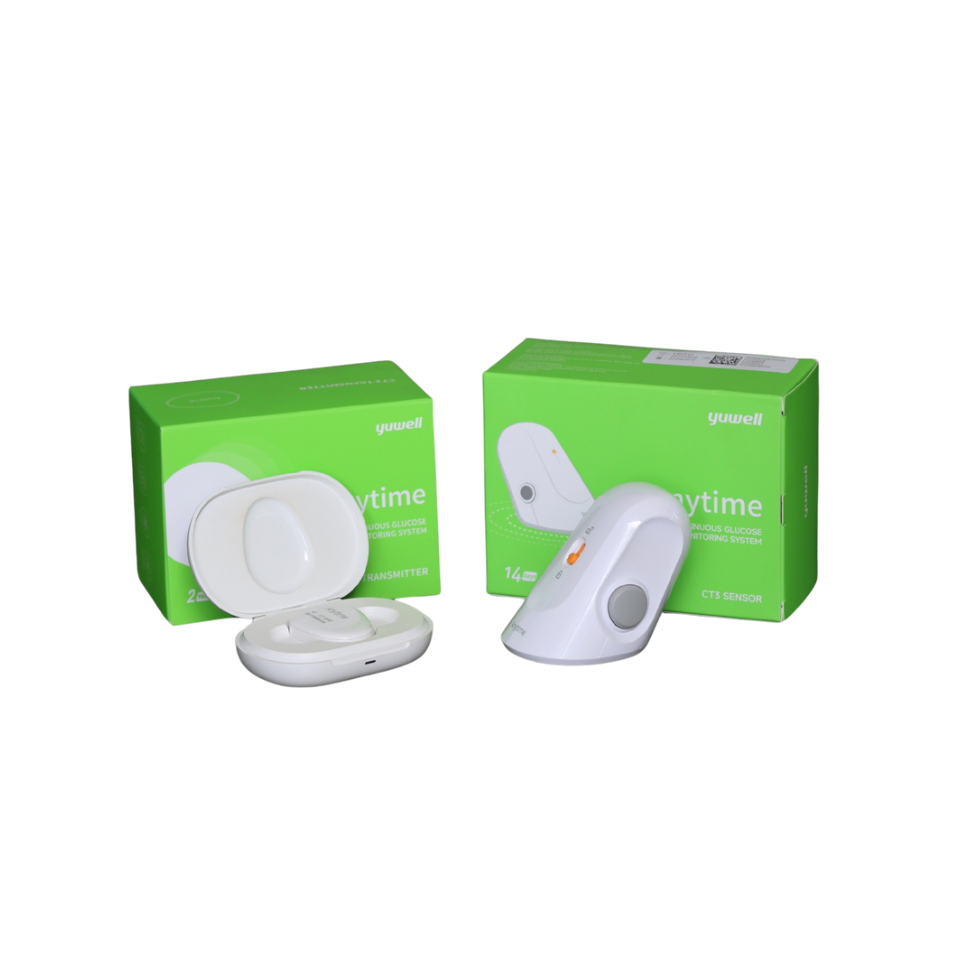
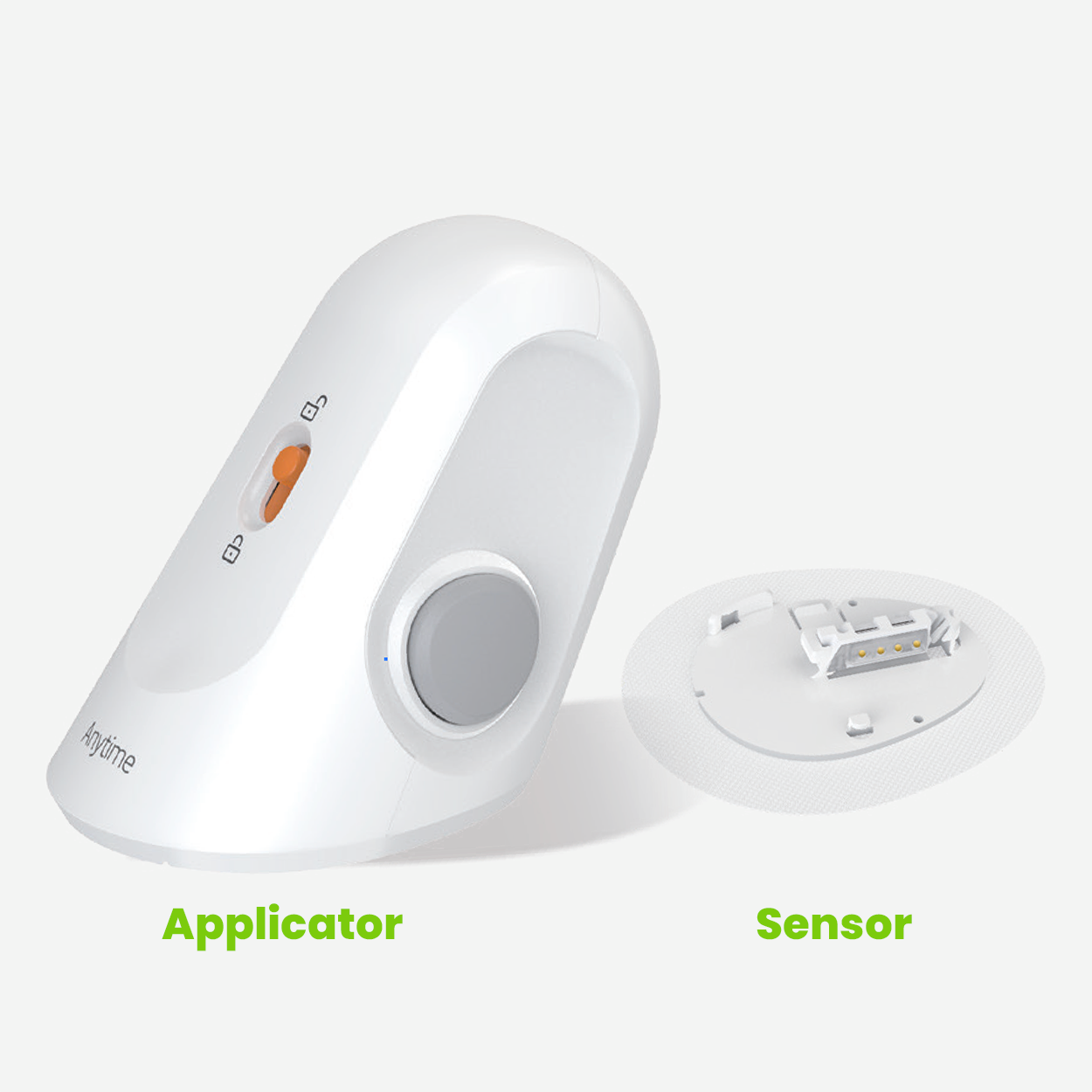
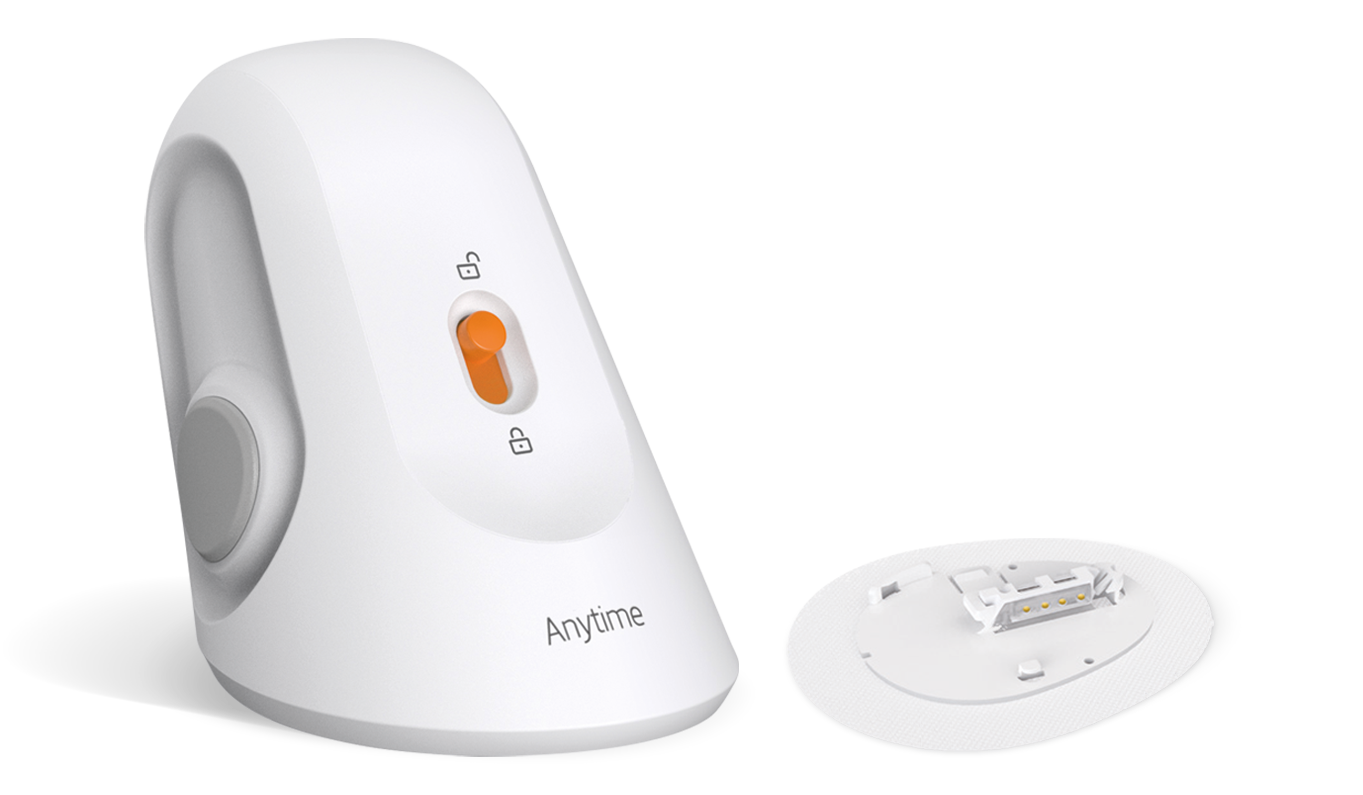
- Sensor with auto-applicator – a one-touch applicator inserts the small sensor just beneath the skin. Each sensor lasts up to 14 days.
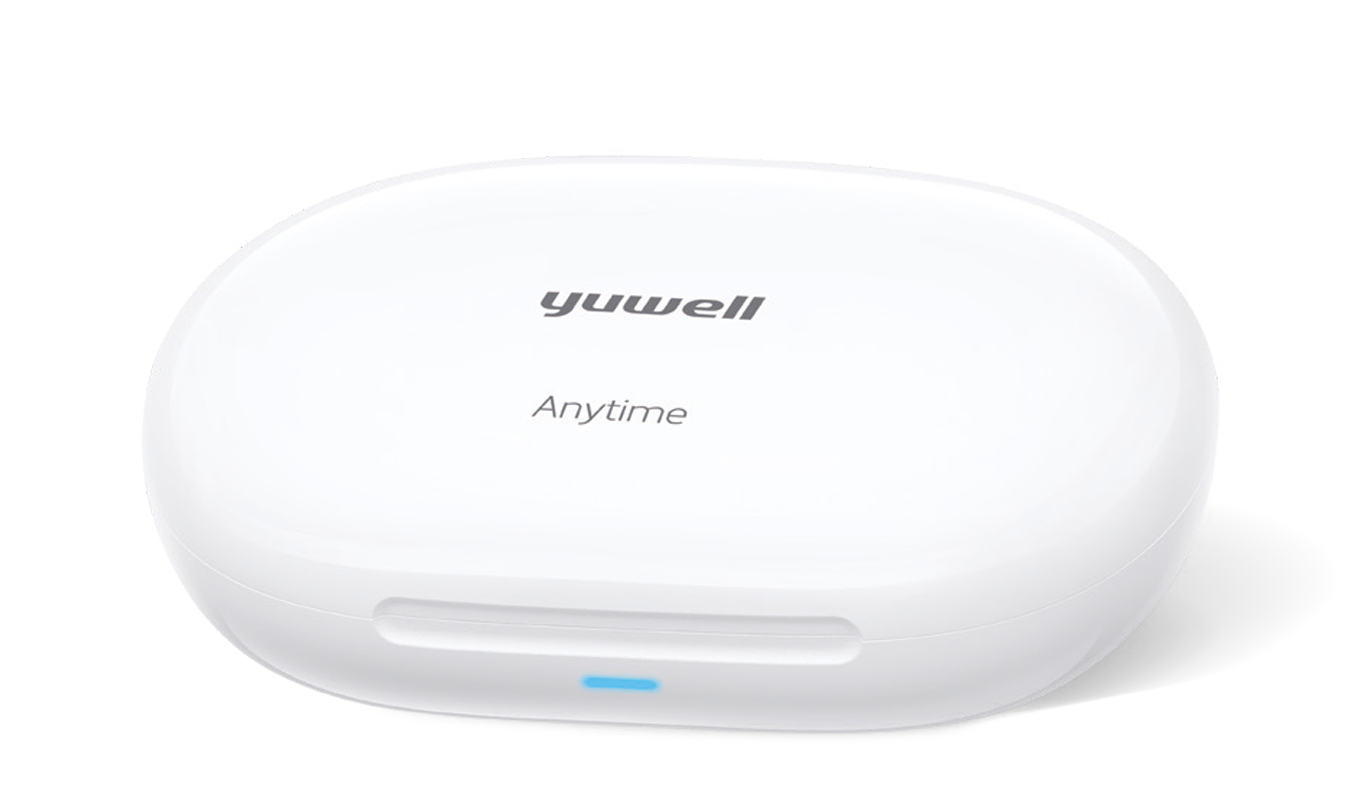
- Rechargeable transmitter – clicks onto the sensor and sends readings to your phone by Bluetooth. It lasts up to 2 years, and one charge covers a full 14-day wear.
- Charging stand – fully charges the transmitter in under 1.5 hours.
- Yuwell Anytime app – free on the Apple App Store and Google Play.
How do I download the Yuwell Anytime app?
Install the free Yuwell Anytime app before you apply the sensor. Tap the badge for your phone:


Yuwell Anytime for iPhone (App Store) · Yuwell Anytime for Android (Google Play)
What do I need before I start?
- Your CGM Full Kit (first-time users) or a Replacement Sensor plus your existing transmitter
- A smartphone with Bluetooth switched on and the Yuwell Anytime app installed
- Alcohol swabs (available at HuMed)
- About 15 minutes, plus a 60-minute warm-up
- The Quick Start Guide (PDF) – handy to keep open while you follow the steps
How do I set up the Yuwell Anytime CT3? (7 steps)
Step 1 – Charge the transmitter
Place the transmitter on the charging stand. The light flashes white while charging and turns blue when fully charged (under 1.5 hours). Then remove the transmitter.
Step 2 – Open the app and create your account
Open Yuwell Anytime, create an account, and set your preferred units (Sri Lankan doctors usually use mg/dL).
Step 3 – Pair the transmitter and sensor
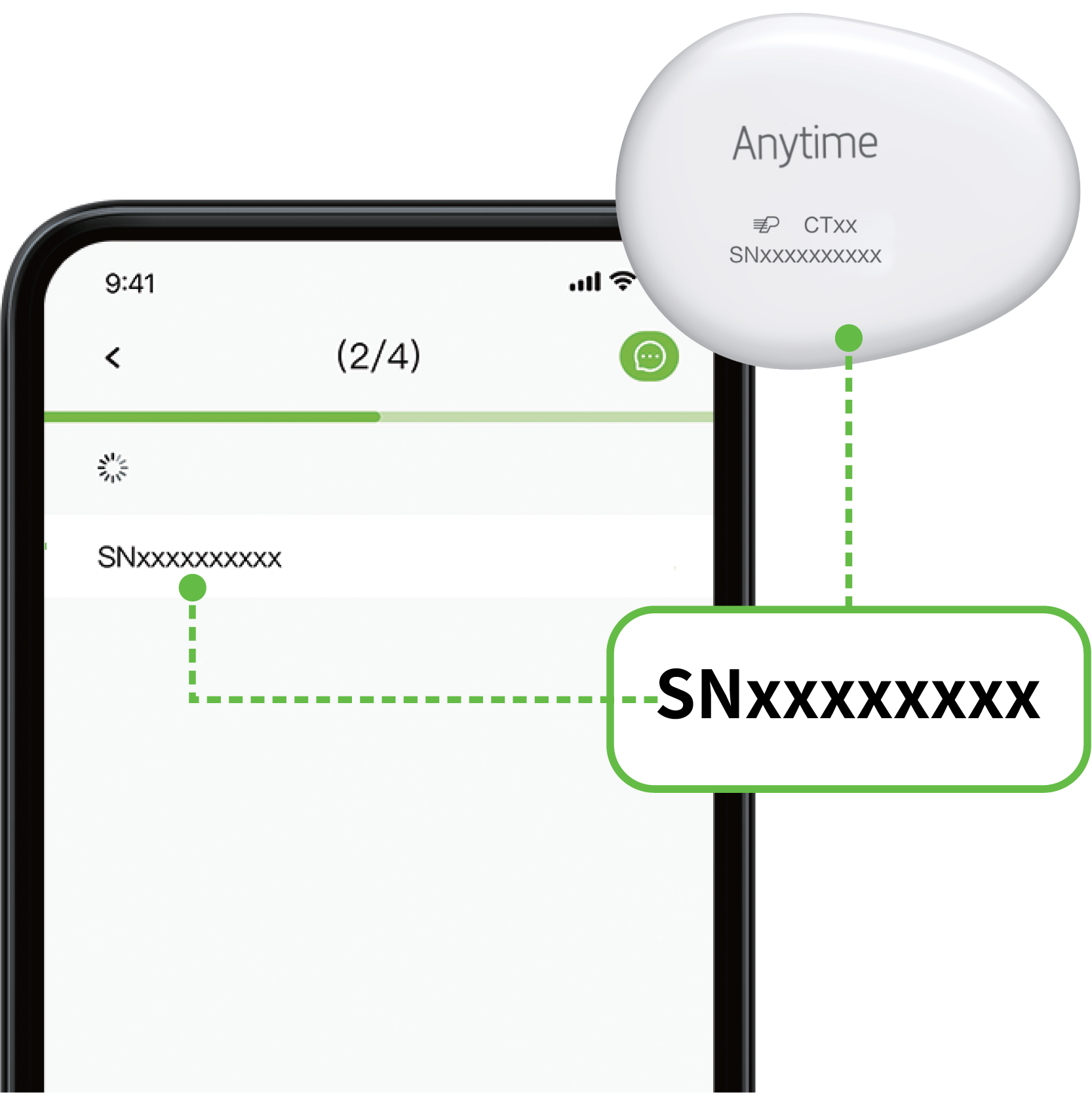
Open the Connect Transmitter page in the app and select the serial number (SN) that matches the one printed on your transmitter. Then scan the QR code on the sensor applicator housing to register the sensor.
Step 4 – Choose and prepare your site
- Choose the back of the upper arm or the abdomen. On the abdomen, use the areas to either side of the belly button shown in the user guide.
- Avoid scars, moles, stretch marks, bruises, tattoos and insulin injection sites. Change sites each time you apply a new sensor.
- Wash and dry the area, clean it with an alcohol swab and let it dry completely so the adhesive sticks well.
Step 5 – Insert the sensor
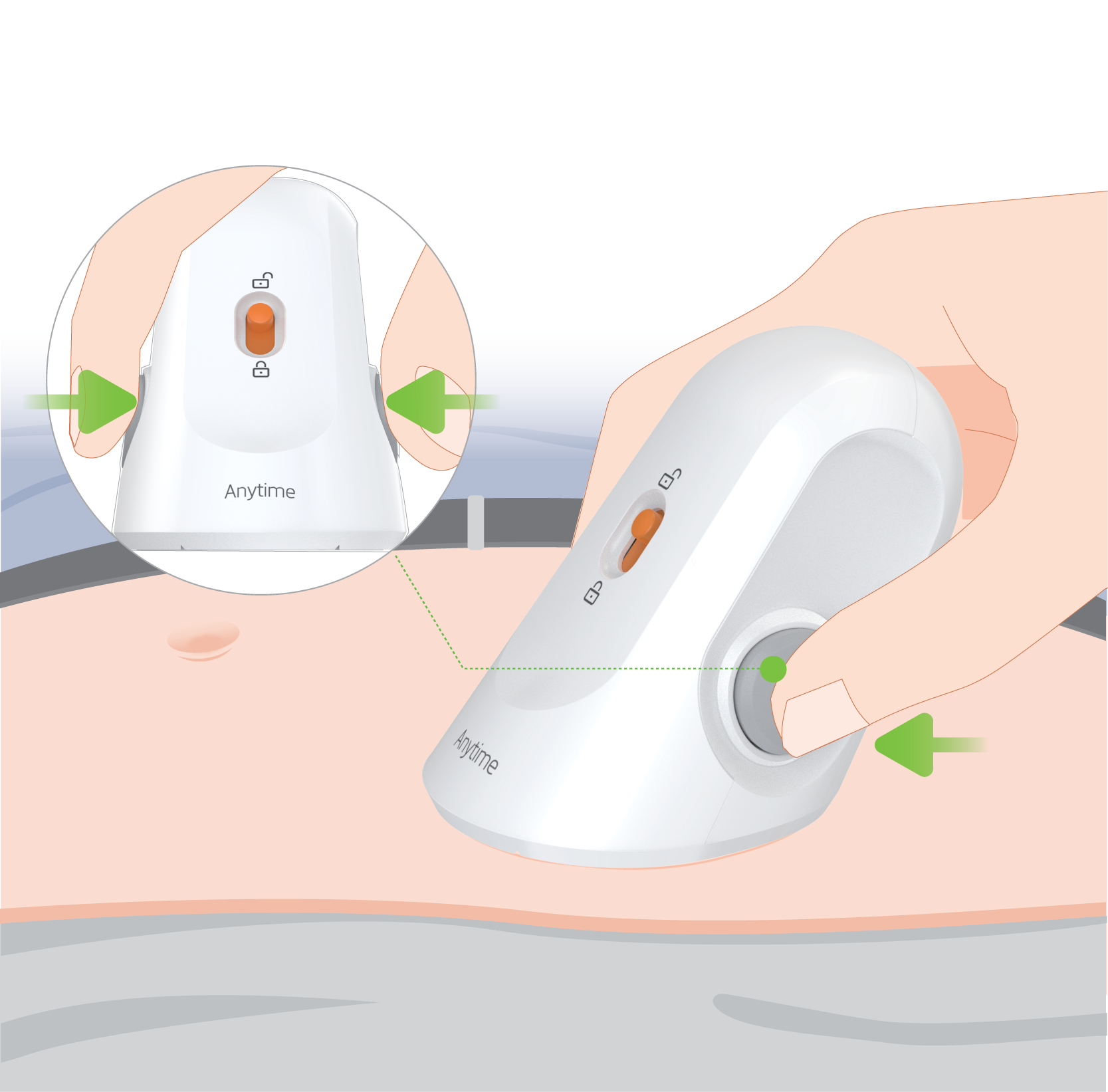
Slide the safety lock on the applicator to unlock it. Hold the applicator flat against the skin and press the release button. The sensor is inserted in a moment – most people feel little or nothing. Lift the applicator straight away and smooth the adhesive patch with your finger.
Step 6 – Click on the transmitter
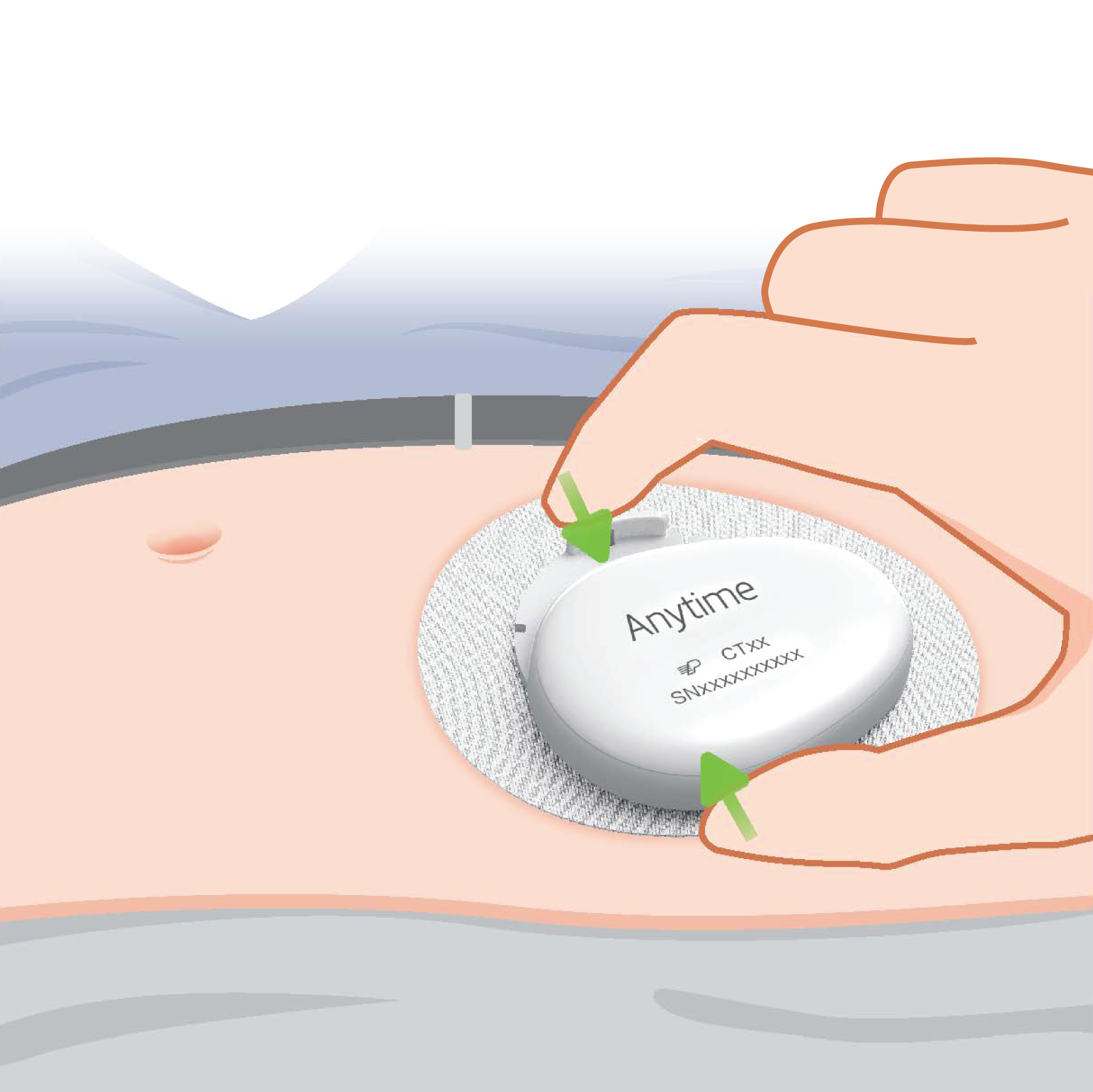
Snap the transmitter onto the sensor at an angle, as shown in the user guide – not straight on. Then pinch the transmitter and sensor firmly together until you hear a "click". Gently push the transmitter in the opposite direction to confirm it is locked.
Step 7 – Wait 60 minutes for warm-up
The sensor needs 60 minutes to initialise. After that, your glucose value and trend arrow appear in the app and update every 3 minutes for the next 14 days.

How do I read the Yuwell Anytime app?
- Trend arrows – 7 arrows show whether your glucose is rising fast, rising, steady, falling or falling fast.
- Timeline – view the last 3, 6, 12 or 24 hours.
- Time in Range (TIR) – shows the percentage of time your glucose stays in your target range.
- High & low alerts – set your own limits (agree them with your doctor) so your phone warns you early.
- Logging – record meals, exercise and insulin to see how they affect your sugar.
- Sharing – invite up to 20 family members or carers to follow your readings. This is ideal for elderly parents or children.
- Reports – export statistics and daily reports to show your doctor at your next clinic visit.
Tips for wearing a CGM every day
- Showering and swimming – the system is rated IP58 and can stay underwater for up to 2 hours at 1.5 m.
- Keep your phone close – within about 6 metres – so readings are not missed.
- Exercise as normal – if you play contact sports, an overpatch can help protect the sensor.
- If readings don't match how you feel – for example you have hypo symptoms but the reading is normal – confirm with a fingerstick glucometer before treating.
- Store spare sensors between 2°C and 30°C – in Sri Lanka's heat, keep them in a cool cupboard or an air-conditioned room, never in a parked car.
How do I replace the sensor after 14 days?
- Slowly peel the patch off, removing the sensor and transmitter together.
- Press the clip downwards to release it and slide the transmitter out.
- Keep the transmitter – do not throw it away. Put it straight back on the charging stand.
- Dispose of the used sensor safely as medical waste.
- Apply a new Yuwell Anytime CT3 Replacement Sensor and repeat Steps 3–7.
Troubleshooting common problems
The app can't find my transmitter
Move away from sources of interference, keep the transmitter within 6 m of your phone, disconnect other Bluetooth devices, recharge the transmitter, and restart your phone. If it still does not connect, try another phone or contact us.
Insertion feels painful
Mild discomfort usually settles quickly. If the pain is severe or does not go away, remove the sensor and apply a new one at a different site.
The patch is lifting or the sensor fell off
Check that the transmitter is properly clicked in, reinforce the edges with an overpatch, and press gently. Always clean the skin and let it dry fully before applying.
Skin redness or itching
Remove the sensor if you notice a rash, swelling or significant itching, and speak to your doctor before applying another.
How much does the Yuwell Anytime CT3 cost in Sri Lanka?
| Product | Who needs it | Price |
|---|---|---|
| Yuwell Anytime CT3 CGM Full Kit (Sensor + Transmitter) | First-time users | Rs. 17,000 |
| Yuwell Anytime CT3 Replacement Sensor | Every 14 days after that | Rs. 15,500 |
First-time users must start with the Full Kit, which includes one sensor and one transmitter. The transmitter is rechargeable and designed for up to 2 years of use, with a 1-year warranty from Mega Meditech. To continue monitoring, simply buy a replacement sensor every two weeks.
Frequently asked questions
Is the Yuwell Anytime CT3 approved in Sri Lanka?
Yes. The Yuwell Anytime CT3 is approved by the NMRA (National Medicines Regulatory Authority) of Sri Lanka, and HuMed is an authorised online distributor.
Does the Yuwell Anytime CT3 need finger pricks?
No routine finger pricks are needed. Use a fingerstick glucometer only if your symptoms do not match the reading on the app.
How long does the Yuwell Anytime sensor last?
Each sensor lasts up to 14 days. The rechargeable transmitter lasts up to 2 years.
How long is the warm-up time?
60 minutes after you attach the transmitter. Readings then update every 3 minutes.
How accurate is the Yuwell Anytime CT3?
A University of Leeds study in people with type 2 diabetes reported a MARD of 6.9%, with 99.95% of readings in clinically correct zones of the Clarke error grid.
Can I swim or shower with the Yuwell Anytime CT3?
Yes. It is rated IP58 and can stay underwater for up to 2 hours at 1.5 m depth.
Which app does the Yuwell Anytime CT3 use?
The free Yuwell Anytime app, available on the Apple App Store for iPhone and Google Play for Android.
Can I reuse the transmitter with a new sensor?
Yes. Remove the transmitter from the old sensor, recharge it, and click it onto your new Yuwell Anytime CT3 sensor. Sensors work only with the Yuwell Anytime CT3 transmitter.
Downloads: user manual, quick start guide & brochure
- 📄 Yuwell Anytime CT3 Quick Start Guide (PDF) – setup in pictures
- 📘 Yuwell Anytime CT3 User Manual (PDF, 22 MB) – full instructions, warnings and specifications
- 📑 Yuwell Anytime CT3 Brochure (PDF) – features and specification sheet
- ▶ Setup video on Vimeo (4 min 39 s)
- 📱 Yuwell Anytime app – App Store · Google Play
Why buy the Yuwell Anytime CT3 from HuMed?
- ✅ Authorised online distributor – genuine stock with a valid warranty
- ✅ NMRA approved product
- ✅ Island-wide delivery, with fast delivery in Colombo, Dehiwala and Mount Lavinia
- ✅ Help with setup – call or WhatsApp us if you get stuck
Shop the Yuwell Anytime CT3 CGM →
Sources: Yuwell Anytime CT3 Quick Start Guide, User Manual and Brochure (Jiangsu Yuyue Medical Equipment & Supply Co., Ltd / Urathon Europe Ltd); University of Leeds accuracy study as reported by Yuwell Anytime UK.
Disclaimer: This article is for general information only and is not medical advice. Always follow the instructions supplied with your device and talk to your doctor before changing your diabetes treatment.